Case Study
The Astronaut, Out of Register
Misregistration is the mistake offset printing works hardest to avoid. I made it breathe.

Case Study
Misregistration is the mistake offset printing works hardest to avoid. I made it breathe.
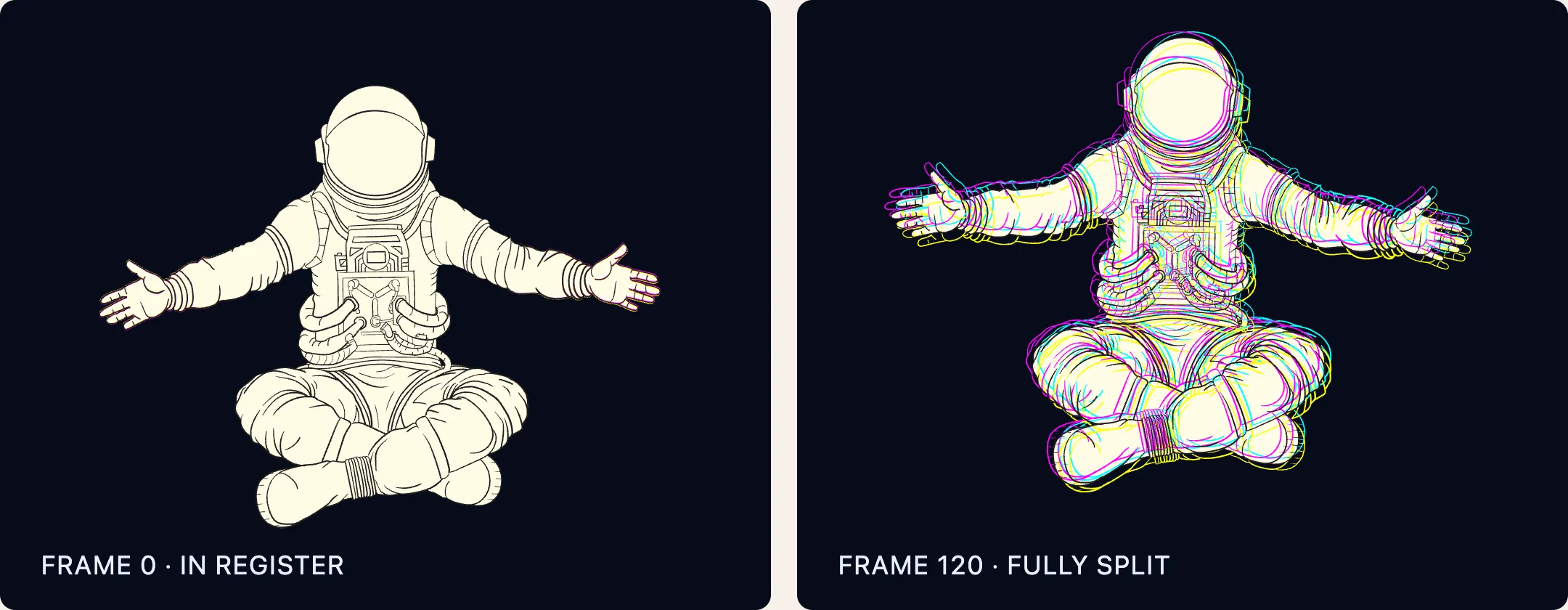
The character floating on my homepage is a psychonaut, an explorer of inner worlds as much as outer ones. As it rises, its cyan, magenta, yellow and black lines drift apart with elastic tension before rebounding back again at the bottom of the loop. That drift is misregistration, a nod to my background in print design. On a press it happens when the color plates don’t line up. Here it’s a reminder to look deeper, to peer through the veil to the constituent parts of our perceived reality.
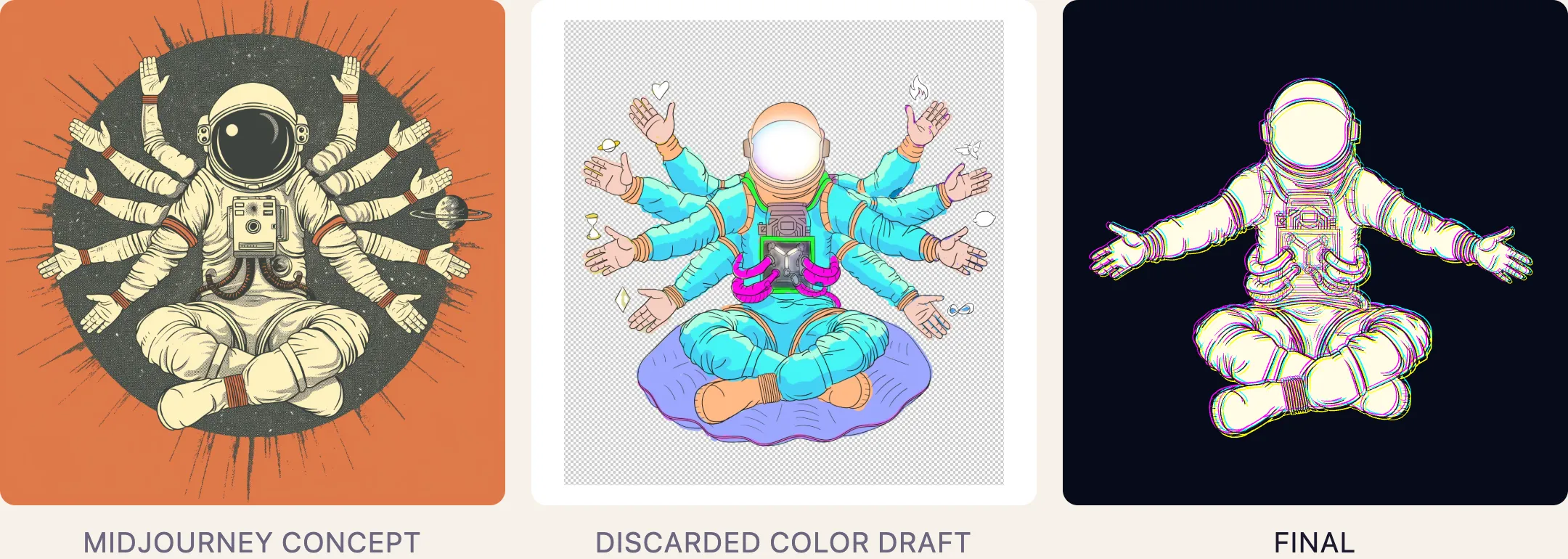
The astronaut began as a concept I generated in Midjourney: an eight-armed figure in lotus pose. I used it as reference, not artwork. I redrew the whole figure by hand as vectors in Adobe Illustrator, which let me refine it and clean up everything Midjourney got wrong.
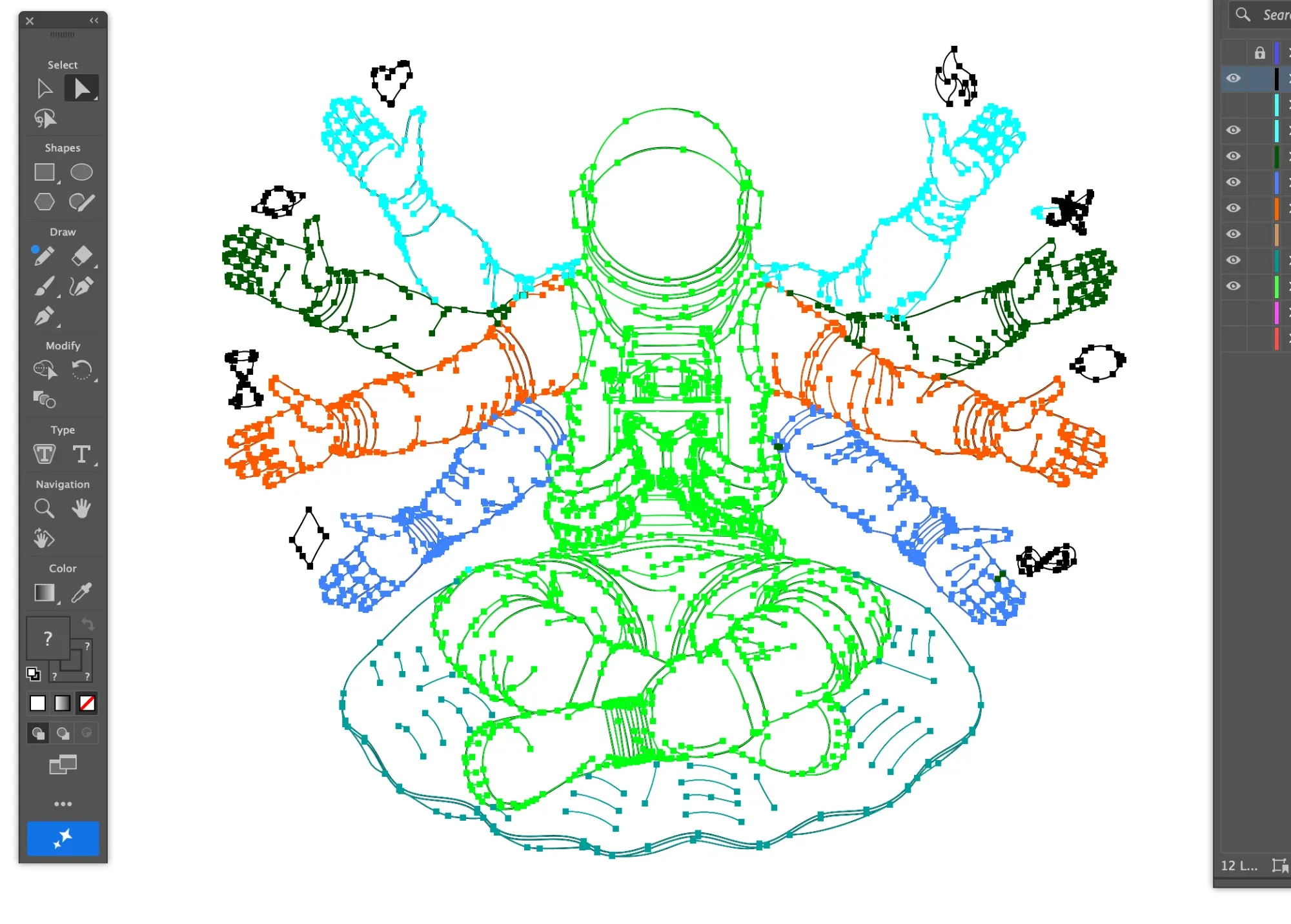
I decided against borrowing the eight-arm iconography. It risked reading as cultural appropriation, and eight arms would have been too busy once everything moved. The misregistration already carried the idea. A color draft with a symbol in each hand didn’t make the final cut either.
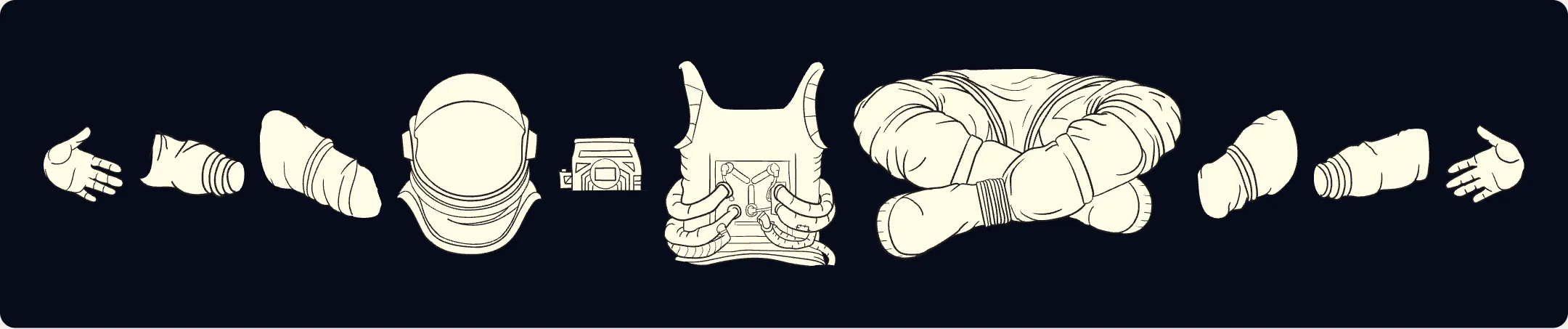
I drew the final figure as ten separate parts so it could move. In After Effects I linked them so they move together as one rig, and keyframed the floating bounce I had in mind.
Each part is black line work over an off-white fill. To pull it out of register, every part needed its line work duplicated onto cyan, magenta and yellow layers under the black, so the colors could slip apart the way plates do on a press. I mocked up the look as a still first, with each color nudged a few pixels in its own direction, to ensure Claude could understand my concept.
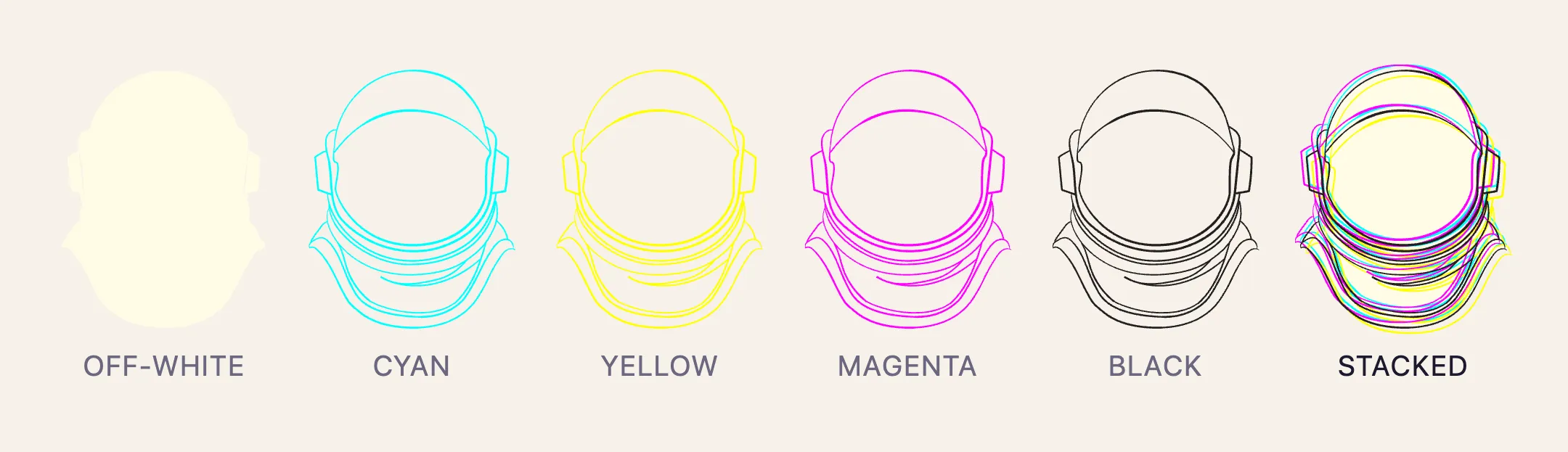
I exported the animation from After Effects with Bodymovin into Lottie, the animation format the site plays. Claude Code rebuilt it from that export, swapping Bodymovin’s PNGs for my vector parts. Then it wrote the scripts that added the layers, to my direction and my mockup. Each color got its own copy of the rig, hung from a null: an invisible parent layer that does nothing but move. The offset rides on top of the original animation without disturbing it, on a smooth ease, so the separation breathes with the float.
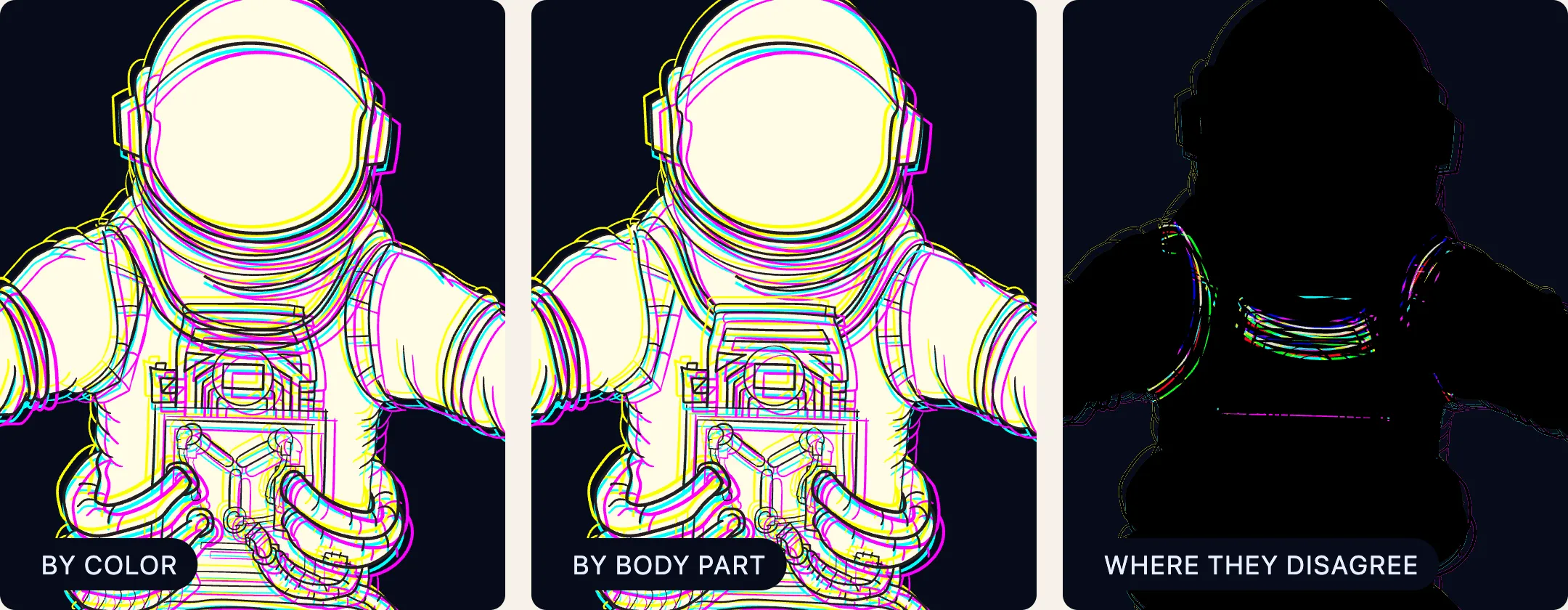
In Claude’s first draft it stacked by color: each color ran as one complete astronaut under the next, so wherever one part overlaps another, the colored lines of the part behind show through. It didn’t match my vision. Stacked by body part, each part carries its own layers, so an arm’s off-white fill covers the torso’s lines and the joint stays crisp. The final version pushes the offsets further and gives the colored arms their own swing, each one rotating a little further or a little less than the black. It exaggerates the separation and gives the space it floats in a viscosity, as if the astronaut were dissolving into its parts through something thicker than air.
An earlier Claude session had built a lighter version, 848 KB rather than 3.1 MB. Instead of separately drawn layers, it used tinted copies: each part’s line work recolored cyan, magenta and yellow by effects in the Lottie file. My rebuilt portfolio started from that file, and on my iPhone the astronaut stuttered. Six rounds of fixes helped, and more than once Claude called it acceptable. It wasn’t. My old Webflow site, running the full file, was smoother on the same phone. That difference was the clue, and I kept pushing Claude until it explained it. The Lottie player turns the thirty tints into SVG color filters, and Safari recalculates every one on the CPU, every frame. So I shipped the bigger file, which loads in the background without blocking the page.
Claude Code built everything here to my direction. It also told me, more than once, that a stuttering astronaut was acceptable. Working well with AI means trusting it to build and not trusting it to judge. Because I drew, rigged and keyframed this figure myself, I knew how it was supposed to move, and I could tell an acceptable result from a right one. Someone still has to know what right looks like.